 快捷导航
快捷导航
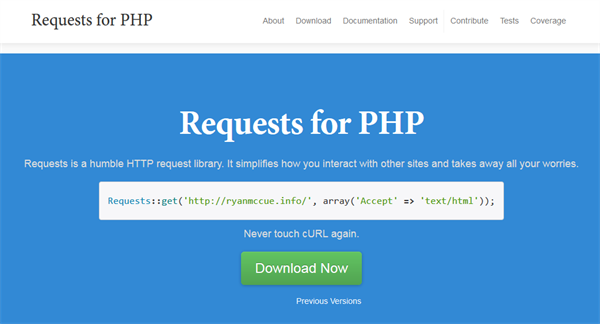
requests是一个用PHP编写的HTTP库,遵循ISC开源协议,目前托管在GitHub上,该库去带了Python HTTP/1.1意外的一切工作,能够开发人员和Web服务无缝的结合在一起,该库没有任何的依赖关系,你可以独立在任何开发环境以外,也不需要相关的软件进行配置,安装方式也多种多样。
你可以利用requests for php发送HEAD、GET、POST、PUT、DELETE和PATCH HTTP请求,并且简化了发送请求,使得用户能够简单的进行添加标题,表单数据,多部分文件和参数等等文件。其次该库还适用于国际域名、身份验证、自动压缩gzip压缩响应等。从中可以看出requests是一款非常好用且强大的托管HTTP请求的标签。
1、下载压缩后,得到如下文件
把lipary目录重名称为requests,然后拷贝到程序的类库文件夹
3、引用类库文件
require_once ('requests/Requests.php');
4、让程序自动引用相关内部类库(一定要执行这行代码)
Requests::register_autoloader();
5、开始使用GET或POST请求获取远程数据
$response = Requests::get('https://github.com/timeline.json');
var_dump($response);
1、使用GET发送请求获取远程数据 Requests::get($url, $headers = array(), $options = array());
这里有3个参数可以使用
第1个参数:$url 为需要获取远程数据的url链接,例如:
$response = Requests::get('https://github.com/timeline.json');
第2个参数:$headers = array() 为附加的头部请求
array('Accept' => 'application/json')
第3个参数:$options = array() 为配置参数
`timeout`: 设置响应超时时间
(integer, seconds, default: 10)
`useragent`: 设置发送到服务器的用户代理
(string, default: php-requests/$version)
`follow_redirects`: 是否允许3XX重定向
(boolean, default: true)
`redirects`: How many times should we redirect before erroring?
(integer, default: 10)
`blocking`: Should we block processing on this request?
(boolean, default: true)
`filename`: File to stream the body to instead.
(string|boolean, default: false)
`auth`: Authentication handler or array of user/password details to use for Basic authentication
(Requests_Auth|array|boolean, default: false)
`proxy`: Proxy details to use for proxy by-passing and authentication
(Requests_Proxy|array|boolean, default: false)
`idn`: Enable IDN parsing
(boolean, default: true)
`transport`: Custom transport. Either a class name, or a transport object. Defaults to the first working transport from
{@see getTransport()}
(string|Requests_Transport, default: {@see getTransport()})
`hooks`: Hooks handler.
(Requests_Hooker, default: new Requests_Hooks())
`verify`: Should we verify SSL certificates? Allows passing in a custom
certificate file as a string. (Using true uses the system-wide root
certificate store instead, but this may have different behaviour
across transports.)
(string|boolean, default: lipary/Requests/Transport/cacert.pem)
`verifyname`: Should we verify the common name in the SSL certificate?
(boolean: default, true)
2、使用POST发送请求获取远程数据 Requests::post($url, $headers = array(), $data = array(), $options = array());
这里有4个参数可以使用,多了一个请求数据(相当于表单提交的数据),其实get也有这个数据,get请求直接附加在url上了
第1个参数:$url 同get的第一个参数
第2个参数:$headers = array() 同get的第2个参数
第4个参数:$options = array() 同get的第3个参数
第3个参数:$data = array() 为表单提交的数据
应用信息
热门推荐
相关应用
实时热词
评分及评论




















点击星星用来评分