 快捷导航
快捷导航
这篇文章主要介绍了英伟达显卡的GeForce Game Ready驱动程序,这个驱动支持多种操作系统和多款显卡型号,能够优化游戏性能并提升玩家的游戏体验。它通过稳定的游戏运行、一键优化设置以及对新技术的支持,为玩家提供更好的游戏环境。
我个人觉得这个驱动对于喜欢玩游戏的人来说非常重要。特别是对于新手来说,一键优化功能可以避免手动调整设置的麻烦,省时又省力。此外,驱动程序经过严格测试,稳定性有保障,不用担心在游戏中出现卡顿或崩溃的问题。
文章还详细列出了支持的显卡型号和操作系统版本,几乎覆盖了所有主流配置。更新日志中提到的修复漏洞也让玩家更加放心,说明英伟达对用户体验非常重视。总之,及时更新这个驱动程序可以让你的游戏体验更上一层楼。
英伟达显卡驱动一般又称为geforce game ready驱动程序,能够支持win11/win10/win7/winxp等操作系统,支持GeForce RTX 40 Series、GeForce RTX 30 Series、GeForce RTX 20 Series、GeForce 16 Series、GeForce 10 Series:、GeForce 900 Series、GeForce 700 Series等多款显卡内核,从而让用户在喜爱的游戏中尽享更佳体验。通过安装英伟达游戏显卡驱动程序,可以让你的显卡发探最佳的性能,同时还可以一键优化游戏设置,让广大玩家更好的体验NVIDIA新技术,快下载体验吧。
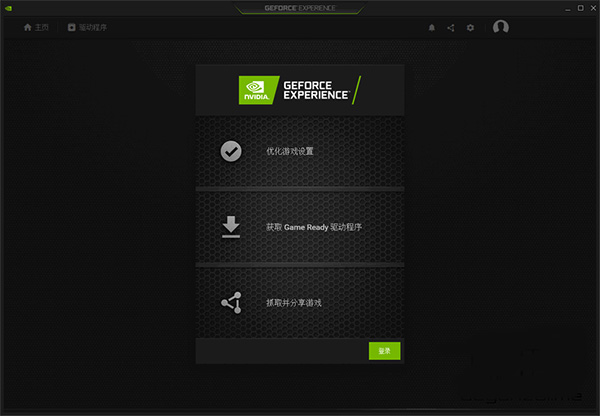
1、经广泛测试可实现更稳定的游戏体验
每个 Game Ready 驱动程序都能满足高质量标准。我们的驱动程序已通过多代 GPU 的数千种硬件配置测试,每个驱动程序均单独通过 Microsoft WHQL 认证,以尽可能实现稳定的游戏体验,从而使您专注于游戏本身,而非排查故障。
2、一键优化设置
Optimal Playable Settings 优化游戏设置 (OPS) 是良好平衡性能和图像质量的一键式解决方案。经过数千种硬件配置测试,OPS 可针对您特定的硬件配置定制合适的游戏设置。
3、提供新技术与功能
英伟达显卡驱动会持续更新和增强NVIDIA的技术,并保障玩家们在最新的游戏中可以使用它们。无论是提升性能的 NVIDIA DLSS、降低延迟的 NVIDIA Reflex,还是 NVIDIA Broadcast 的 AI 特效,Game Ready 驱动程序都能确保您可以第一时间体验到以上最新游戏技术。
1、GeForce RTX 40 Series:
NVIDIA GeForce RTX 4090 D, NVIDIA GeForce RTX 4090, NVIDIA GeForce RTX 4080 SUPER, NVIDIA GeForce RTX 4080, NVIDIA GeForce RTX 4070 Ti SUPER, NVIDIA GeForce RTX 4070 Ti, NVIDIA GeForce RTX 4070 SUPER, NVIDIA GeForce RTX 4070, NVIDIA GeForce RTX 4060 Ti, NVIDIA GeForce RTX 4060
2、GeForce RTX 30 Series:
GeForce RTX 3090 Ti, GeForce RTX 3090, GeForce RTX 3080 Ti, GeForce RTX 3080, GeForce RTX 3070 Ti, GeForce RTX 3070, GeForce RTX 3060 Ti, GeForce RTX 3060, GeForce RTX 3050
3、GeForce RTX 20 Series:
GeForce RTX 2080 Ti, GeForce RTX 2080 SUPER, GeForce RTX 2080, GeForce RTX 2070 SUPER, GeForce RTX 2070, GeForce RTX 2060 SUPER, GeForce RTX 2060
4、GeForce 16 Series:
GeForce GTX 1660 SUPER, GeForce GTX 1650 SUPER, GeForce GTX 1660 Ti, GeForce GTX 1660, GeForce GTX 1650, GeForce GTX 1630
5、GeForce 10 Series:
GeForce GTX 1080 Ti, GeForce GTX 1080, GeForce GTX 1070 Ti, GeForce GTX 1070, GeForce GTX 1060, GeForce GTX 1050 Ti, GeForce GTX 1050, GeForce GT 1030, GeForce GT 1010
6、GeForce 900 Series:
GeForce GTX 980 Ti, GeForce GTX 980, GeForce GTX 970, GeForce GTX 960, GeForce GTX 950
7、GeForce 700 Series:
GeForce GTX 750 Ti, GeForce GTX 750, GeForce GTX 745
8、NVIDIA TITAN Series:
NVIDIA TITAN RTX, NVIDIA TITAN V, NVIDIA TITAN Xp, NVIDIA TITAN X (Pascal), GeForce GTX TITAN X
9、GeForce RTX 40 Series:
NVIDIA GeForce RTX 4090 D, NVIDIA GeForce RTX 4090, NVIDIA GeForce RTX 4080 SUPER, NVIDIA GeForce RTX 4080, NVIDIA GeForce RTX 4070 Ti SUPER, NVIDIA GeForce RTX 4070 Ti, NVIDIA GeForce RTX 4070 SUPER, NVIDIA GeForce RTX 4070, NVIDIA GeForce RTX 4060 Ti, NVIDIA GeForce RTX 4060
10、GeForce RTX 30 Series:
GeForce RTX 3090 Ti, GeForce RTX 3090, GeForce RTX 3080 Ti, GeForce RTX 3080, GeForce RTX 3070 Ti, GeForce RTX 3070, GeForce RTX 3060 Ti, GeForce RTX 3060, GeForce RTX 3050
11、GeForce RTX 20 Series:
GeForce RTX 2080 Ti, GeForce RTX 2080 SUPER, GeForce RTX 2080, GeForce RTX 2070 SUPER, GeForce RTX 2070, GeForce RTX 2060 SUPER, GeForce RTX 2060
12、GeForce 16 Series:
GeForce GTX 1660 SUPER, GeForce GTX 1650 SUPER, GeForce GTX 1660 Ti, GeForce GTX 1660, GeForce GTX 1650, GeForce GTX 1630
v591.86版本
修复了游戏漏洞
全面战争:三国:在游戏过程中,当启用屏幕空间反射时,可能会观察到神器
修复了常见错误
启用Windows自动颜色管理时,观察到SDR内容的色彩条纹
华硕 G14 在启用华硕终极模式时可能在启动时冻结
应用信息
热门推荐
相关应用
实时热词
评分及评论




















点击星星用来评分